Proper slicer calibration involves verifying blade tension, adjusting carriage speed, and calibrating the thickness mechanism. This step-by-step process ensures uniform cut thickness and prevents product damage, reducing waste and improving processing efficiency.
- Proper slicer calibration requires a systematic approach to blade tension, carriage speed, and thickness adjustments.
- Regular verification of the thickness mechanism prevents drift and ensures consistent cut dimensions.
- Documenting calibration settings creates a repeatable process for different operators and production batches.
- Monitoring blade wear during calibration helps identify when replacement or sharpening is needed.
- Final verification with test product confirms that all adjustments produce the required cut thickness.
Why Calibration Matters for Consistent Cuts
Inconsistent slice thickness creates immediate problems on the production floor. Thin slices tear during downstream handling, while thick pieces may not meet product specifications. These variations increase waste, trigger rework, and can affect the final quality of the processed product.
Calibration is the process of adjusting the mechanical and operational parameters of a slicer to meet specific thickness requirements. It is not a one-time setup task. Slicers experience wear, thermal changes, and vibration that affect their performance over time. Regular calibration keeps the machine producing uniform cuts and prevents small deviations from becoming major quality issues.
The process involves three main areas: blade tension, carriage speed, and the thickness mechanism. Each component interacts with the others, so adjusting one without checking the others can create new problems. A systematic approach ensures that all variables are aligned with the production target.
Pre-Calibration Checks Before Starting
Before adjusting any settings, verify that the slicer is in a stable and safe state. Power down the machine during initial checks and allow it to cool if it has been running. Clean the blade, carriage, and thickness mechanism. Product residue on these parts affects accuracy and can hide wear patterns.
Check the blade condition first. Look for nicks, chips, or uneven wear. A damaged blade will not produce a consistent cut regardless of other settings. The blade should be properly seated in the housing, with no visible gaps. If the blade is worn beyond acceptable limits, replace it before calibration. Refer to the blade tensioning explainer for specific tension requirements for your machine model.
Verify the carriage movement. The carriage should travel smoothly without binding or excessive play. Listen for unusual noises during manual operation. Check the belt and chain tension if your slicer uses these components. Excessive slack causes speed variations that affect cut thickness.
Prepare a test product that matches the production item. Use a block of firm, uniform material. This allows you to measure cuts accurately. Have calipers or a thickness gauge ready for verification. The test product should be at the same temperature as production material, as thermal expansion can affect measurements.
Step 1: Set the Initial Thickness Target
Begin with the thickness mechanism. Set the dial or digital control to the target slice thickness. If using a mechanical dial, make sure it is fully engaged and not loose. For digital controls, enter the exact value from the production specification.
Do not start at an extreme setting. Begin near the middle of the adjustment range. This gives room to adjust in either direction if the cut is off. The reason for this is that major adjustments can cause mechanical stress on the mechanism and may require more time to stabilize.
Lock the thickness setting if your model has a locking feature. This prevents accidental changes during the process. Some slicers have a secondary adjustment for fine-tuning. Set the coarse adjustment first, then use the fine-tuning mechanism to reach the exact target.
The thickness mechanism determines the maximum gap between the blade and the product contact point. If this setting is incorrect, no amount of speed adjustment will produce the right cut. This step establishes the baseline for all other calibrations.
Step 2: Adjust Blade Tension for Even Cutting
Blade tension affects how the blade engages with the product. Too much tension creates excessive friction, which can cause the blade to drag and produce uneven cuts. Too little tension allows the blade to flex, resulting in variable thickness.
Check the tension indicator if your slicer has one. Many modern machines have a tension gauge or visual indicator. For mechanical models, use the tension adjustment screw on the blade housing. Follow the manufacturer’s specified tension range for your blade type.
The reason for verifying tension is that blade behavior changes with load. A blade under proper tension maintains a consistent cutting path. When tension is off, the blade may skip or catch on hard spots in the product, creating thickness variation.
Adjust tension in small increments. After each adjustment, run the blade manually through a few test cuts. Observe the cut surface. A properly tensioned blade produces a clean, straight cut with no visible dragging marks. If the cut is ragged or uneven, adjust the tension and test again.
Step 3: Calibrate the Carriage Speed
Carriage speed determines how fast the product moves past the blade. This speed must be matched to the blade speed and the thickness setting. Too fast a carriage speed can cause the blade to skip, producing thick slices. Too slow a speed increases dwell time, which can create thin, torn slices.
Set the carriage speed to the manufacturer’s recommended baseline for your slicer type. Most machines have a speed range, and the middle setting is a good starting point. For continuous cutters, the speed relationship between the blade and carriage is more complex and requires careful balancing.
The reason for calibrating carriage speed is that it directly affects the cut rate. If the product moves too quickly relative to the blade rotation, the blade cannot complete a full cut cycle before the next slice is required. This creates gaps and uneven thickness.
Adjust the speed in small increments. After each change, make test cuts and measure the thickness. Look for the speed where cuts are uniform and the machine runs smoothly. There is no single correct speed for all applications. The optimal speed depends on the product type, blade diameter, and desired cut rate.
Step 4: Verify the Thickness Mechanism Accuracy
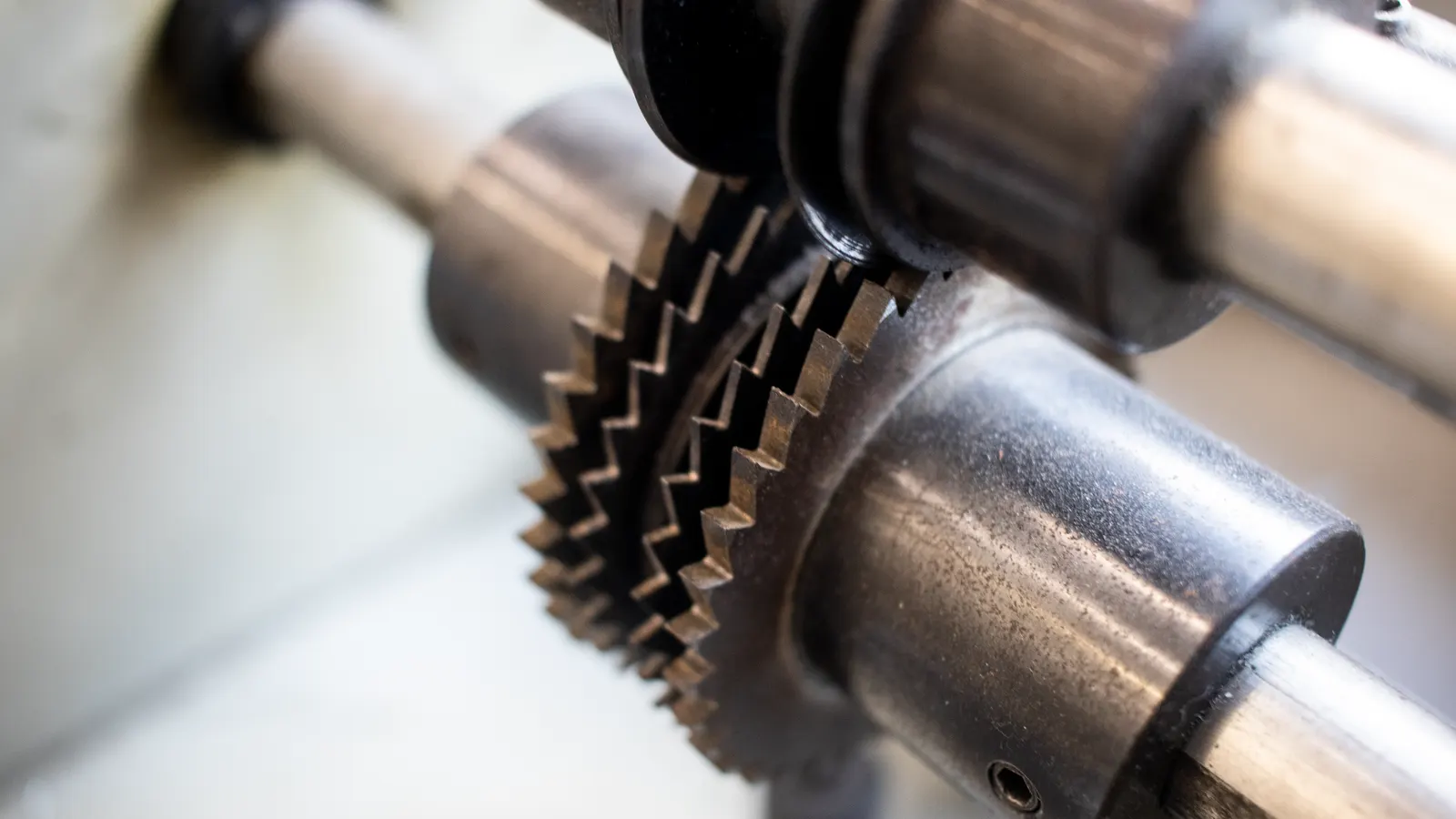
The thickness mechanism must produce the exact dimension set on the dial or display. Over time, wear in the gears, screws, or digital sensors can cause drift. This means the displayed thickness may not match the actual cut thickness.
Use the test product to verify accuracy. Make several cuts and measure each one with calipers. Record the measurements. If the cuts vary beyond your acceptable tolerance, the mechanism needs adjustment.
The reason for this check is that even a perfectly set slicer can produce incorrect thickness if the mechanism itself is out of calibration. Gears may be worn, screws may be loose, or digital encoders may need realignment. This step identifies mechanical issues that cannot be fixed by speed or tension adjustments alone.
If the mechanism is out of calibration, adjust it according to the manufacturer’s instructions. This may involve adjusting gear mesh, tightening set screws, or recalibrating digital sensors. After adjustment, repeat the measurement process to confirm accuracy.
Step 5: Run a Production Trial
After all adjustments, run a short production trial. Process a larger quantity of test product, equivalent to a small batch. Monitor the cuts continuously. Do not just measure the first few slices. Look for consistency over time.
Check for drift. As the machine runs, thermal expansion and mechanical stress can cause slight changes in thickness. If the cuts start to vary after the initial batch, the machine may need a different speed or tension setting to compensate for operating conditions.
The reason for a production trial is that short test cuts do not always reveal long-term consistency issues. A machine may produce perfect cuts for ten minutes and then drift. The trial reveals whether the calibration holds under normal operating conditions.
Record the settings that produced consistent results. Document the blade tension, carriage speed, and thickness setting. This documentation helps other operators replicate the calibration and provides a baseline for future adjustments.
Step 6: Final Verification and Documentation
Perform a final verification after the production trial. Make a new set of test cuts and measure them. Confirm that the thickness is within specification and that the cuts are uniform. Check the cut surface quality as well. Ragged or torn edges indicate a problem that needs correction.
The reason for final verification is that the production trial may have introduced minor changes that need to be corrected. Even small adjustments during the trial can affect the final state of the machine.
Document the calibration in the maintenance log. Record the date, operator name, settings used, and verification results. This creates a history that helps identify trends. If calibration becomes increasingly difficult over time, it may indicate that a component is wearing out and needs attention.
Include the blade condition in the documentation. Note any wear patterns or damage observed during calibration. This information helps schedule blade replacement before it affects production quality.
Common Mistakes in Slicer Calibration
The most common mistake is adjusting one component without checking the others. Changing the carriage speed without verifying blade tension can create a false sense of consistency. The cut may look correct for a short period, but the underlying issue remains.
Another frequent error is using an inconsistent test product. If the test material varies in firmness or density, the measured thickness will not reflect what the slicer will produce on actual product. Always use uniform, representative material for calibration.
Operators sometimes skip the final verification step. They adjust the settings, make a few cuts, and assume the machine is calibrated. This misses drift and long-term consistency issues. The final step exists to confirm that the calibration holds under real operating conditions.
Excessive adjustment is another problem. Making large changes to multiple settings at once makes it difficult to identify which adjustment caused a change in cut quality. Always adjust one variable at a time and test after each change.
Ignoring blade wear is a critical mistake. A worn blade will not produce consistent cuts no matter how well the other settings are calibrated. Regular blade inspection and replacement is part of the calibration process, not an afterthought.
Verification Checklist
| Check Item | Action | Acceptance Criteria |
|---|---|---|
| Blade Condition | Visual inspection and tension check | No nicks, proper tension per spec |
| Thickness Setting | Set to target thickness | Dial or display matches specification |
| Carriage Speed | Adjust to baseline and fine-tune | Uniform cuts, no skipping or tearing |
| Mechanism Accuracy | Measure test cuts with calipers | Within tolerance of target thickness |
| Production Trial | Run small batch, monitor consistency | No drift over time |
| Documentation | Record settings and results | Complete log entry with date and operator |
Maintaining Calibration Over Time
Calibration is an ongoing process, not a one-time task. The frequency depends on production volume, product type, and machine condition. High-volume operations may require calibration checks more often than intermittent use.
Monitor cut quality during production. If operators notice variation in thickness, stop and perform a quick check. Small deviations often indicate that a setting has drifted or a component is wearing. Early detection prevents larger quality issues.
Keep the slicer clean. Residue on the blade and mechanism affects accuracy. A clean machine is easier to calibrate and easier to inspect. Incorporate cleaning into the regular maintenance schedule.
Train operators on the calibration process. When multiple operators use the same slicer, they must follow the same procedure. A clear, documented process ensures consistency regardless of who is running the machine.
Review calibration records periodically. Trends in the data can reveal problems before they become critical. If calibration adjustments are becoming more frequent, it may indicate that the machine is approaching the end of a component’s service life.
When to Seek Technical Support
Some calibration issues are beyond the scope of routine maintenance. If the thickness mechanism cannot be adjusted to produce the correct dimension, the problem may be internal gear wear or a faulty sensor. In these cases, contact the manufacturer’s technical support.
If the blade will not maintain tension or the carriage speed is uncontrollable, there may be a mechanical failure that requires professional repair. Attempting to force adjustments can cause further damage and extend downtime.
Keep the machine’s service history accessible. When working with technical support, the calibration records and maintenance logs provide valuable information. They help the technician diagnose the issue faster and recommend the correct solution.
Final Thoughts
Consistent slice thickness requires a systematic approach to slicer calibration. The process involves checking blade condition, adjusting tension, calibrating carriage speed, and verifying the thickness mechanism. Each step builds on the last, and skipping any one of them can create quality issues.
The key is consistency in the process. Use the same test product, follow the same sequence, and document every adjustment. This creates a repeatable calibration method that works across shifts and operators.
Regular calibration protects product quality and reduces waste. It also extends the life of the slicer by identifying wear before it causes failure. A well-calibrated slicer is a reliable production asset that delivers consistent results every time.
Frequently asked questions
How often should I calibrate my slicer?
Calibrate at the start of each shift and after any significant change in product type or machine settings. High-volume operations may benefit from more frequent checks throughout the day.
What is the most common cause of thickness variation?
Blade wear and tension drift are the most common causes. As the blade wears, it no longer cuts evenly, and tension adjustments that worked previously may no longer be sufficient.
Can I calibrate the slicer without a test product?
No. You need a representative test product to measure actual cut thickness. Without it, you cannot verify that the settings produce the correct dimension.
What should I do if the thickness mechanism is out of calibration?
Adjust the mechanism according to the manufacturer's instructions, which may involve gear mesh, set screws, or sensor realignment. If the mechanism cannot be adjusted, contact technical support.
Do different product types require different calibration settings?
Yes. Firm, uniform products like cheese or meat loaves behave differently than softer or denser items. Each product type may require adjustments to carriage speed, tension, and thickness settings.